
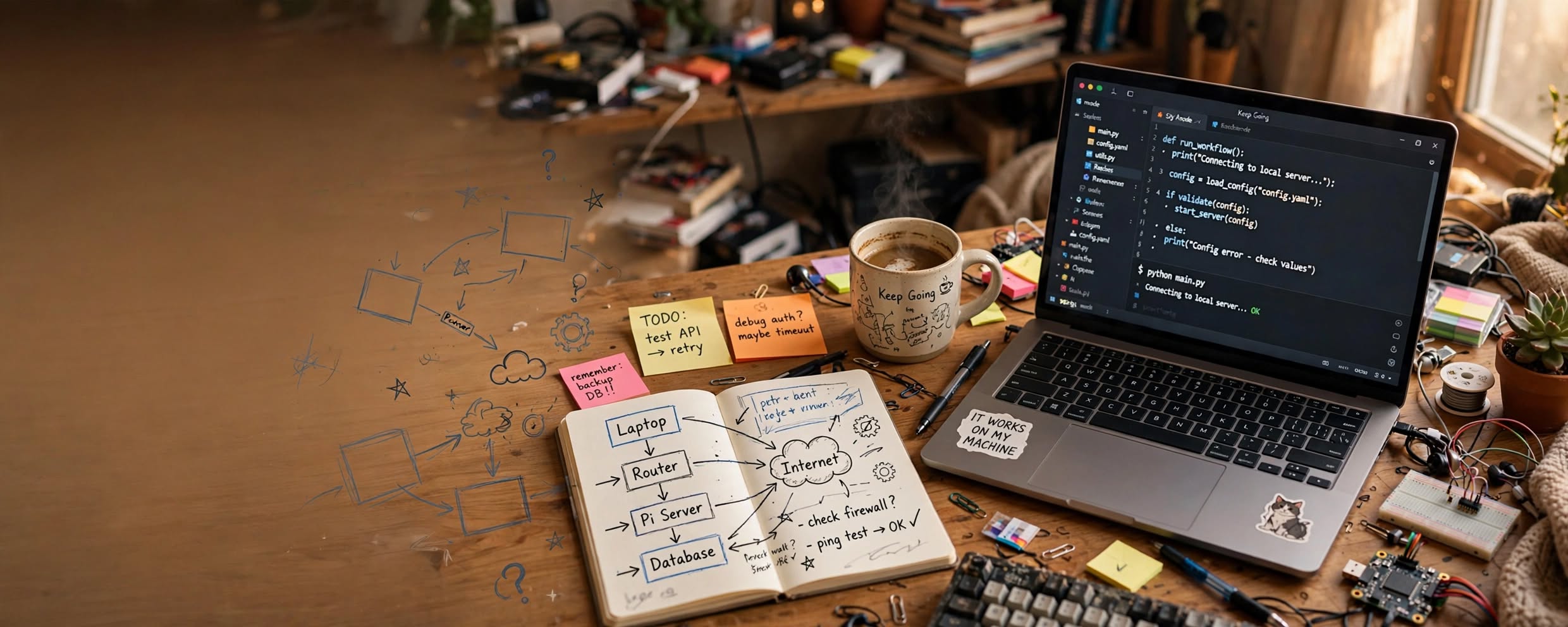
The Hired Gun
Coding Workflow for Average Joes
Every time I start a project, I run into the same issue.
I know what i want to build, but I can't describe it very well. I have a vision in my head of what it is I'm trying to make, but it's not clear. I am usually so focused on trying to get what's in my vision on paper before I lose it, the logic gets left out of the thought process.
This often leads to unexpected problems when I'm trying to actually complete a project. Usually I get stuck on a problem when it is near the edge of my understanding. If I can't seem to find a solution, I end up realizing my project is much larger than I expected. I start to see a wall of impossibility, keeping me from what I want to accomplish.
This is pretty common for home labs or hobbyists who set out to try and freelance on their own early. I didn't know this when i first started. So I decided to begin a series on designing a workflow that will help to push through this part of the process.
The very essence of what I realized is a problem for me is the process has to be fluid, it has to be in my head when i need it or it doesn't work. So with this in mind I have listed out the 4 requirements I used when coming up with the process.
1. This method has to capture the project vision BEFORE I lose the thought.
2. It has to force logic back in, NOT leave it out.
3. It has to give me something to do when I hit the edge of my understanding.
4. Checks and Balances. Smoke tests/Bugs/Polish This is the basis of the process.
#1 Capture: Project Vision
So... I should be honest here.
Those 4 steps at the top are the ideal circumstances, "the pretty method" you and I both know in reality are more guidelines than actuals. The real truth is I usually start with a folder and a text document.
The good news is this process is about adapting to you. It's not meant to be rigid, just a reference to remember when you need it most. In my case (yours may be different), a folder and a text doc is the true beginning.
I get an idea (usually at random) I want to build it. This is the point at which I have mentally decided to commit some energy to making something work. At this stage i have just enough motivation to try to explore my idea with a little more than mental thought.
I will usually go to my laptop and make a folder "project/". An empty folder just feels wrong, so i usually start by building a simple text file. "Readme.txt" in this file i start to build a shape.
"Simon Sinek — Start with Why: How Great Leaders Inspire Everyone to Take Action"
#2. START WITH WHY!
Don't take this document for granted.. This white page is where you spill your idea.. Make it as messy as you want.. get it all out in the open here. Make it a giant blob of text if you have to. You are writing down everything you are thinking. This is a grocery list mixed with an emotional speech for a toast at your best friend's wedding. You want all the emotion and passion in your words that you can muster. Keep asking yourself "Why" after every sentence you write.. Put it on paper.. that magic word will lead you to the next part of my rule set. The "how"
#3 "Kung Fu Code!"
So at this stage, I have an awesome text document where I've barfed out all my idea in my new folder. I haven't written anything that looks like code yet, but I am getting to the point where I'm ready to start.
This is where I start to get serious about something. My ADHD is now firing on all cylinders. All my attention is finally triggering obsessively on the thing I want, the thing I now need to get done. We need a tool that allows us to strategize an attack. We need a way to coordinate the giant blob of data we just wrote down in that text document. You need a map. A way to get from where you are to the Gutenberg device you're trying to build.
Topology
A topology is a simplification system used in engineering where you abstract a complex process, and represent it as a box with a name in the middle. 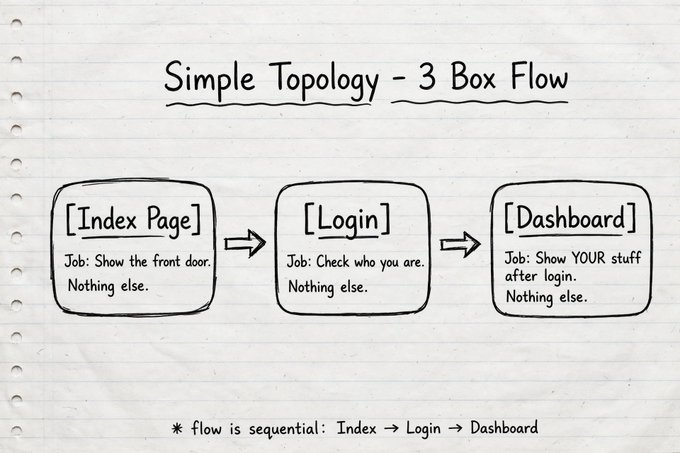
All you need for a topology to start is the basic concept of what it is you are making. This is why I always start with the "README.txt" first. The README is my idea, my basic concept. Your README, combined with the Topology tool is an incredibly powerful weapon for you to create with. You don't need to KNOW how everything works with a topology, you just need to know something needs to be there. Because some of my readers may not have used a topology or block diagram in the past I will break down the concept further.
Zoom Levels
So one of the first questions I always run into when I'm building these topologies out is "This is great, but I can't build depth if i don't know what goes in the box." And this is a fair point. For example let's say we want to make a topology of how an engine works. We might not know anything about how an engine works, or even the type of engine we want to build. Is it a steam engine, combustion, electric, or even a gaming engine? You need to break the expectation that this tool will give you information you don't have. It won't do that, but what it will do is record what you do have and the hierarchy of it's purpose. So for now. You only know you want an engine, and that's ok. So put it on paper.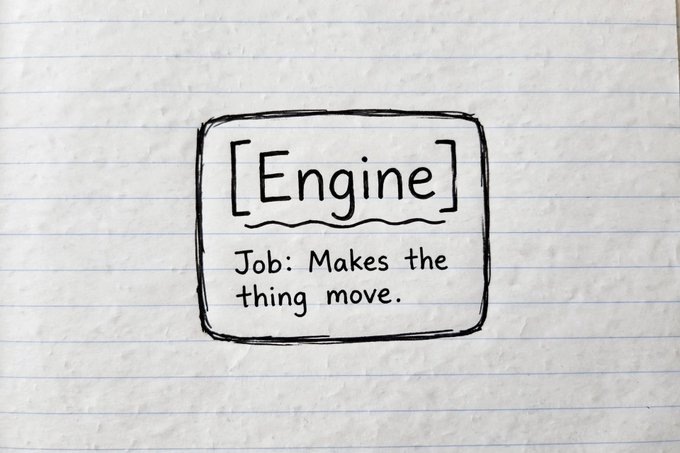
Figure 1: You don't need to know the type. Just give the unknown a box and a one-sentence job.
Why Are We Doing It This Way
So at this point, our topology looks kind of silly. But that's actually the point. We are using this tool to "scope" what we have to think about. Now that we know we need an engine, we can step down a level in our minds. We can start to think about what needs to be in the engine we are designing. 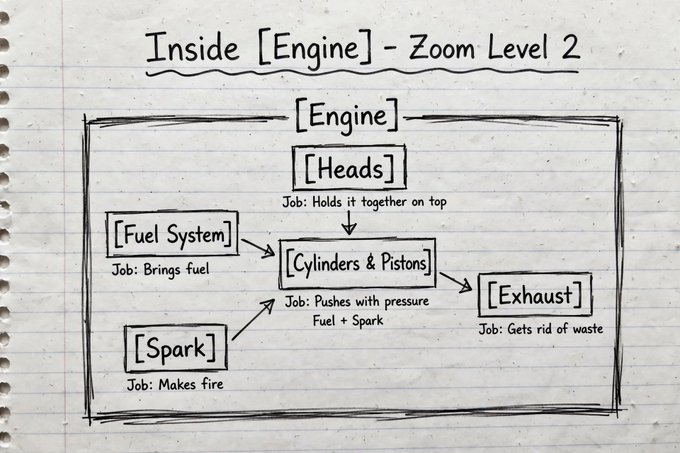 Figure 2: Same box, one level deeper. Fuel + Spark -> Push -> Exhaust. Still one job per box.
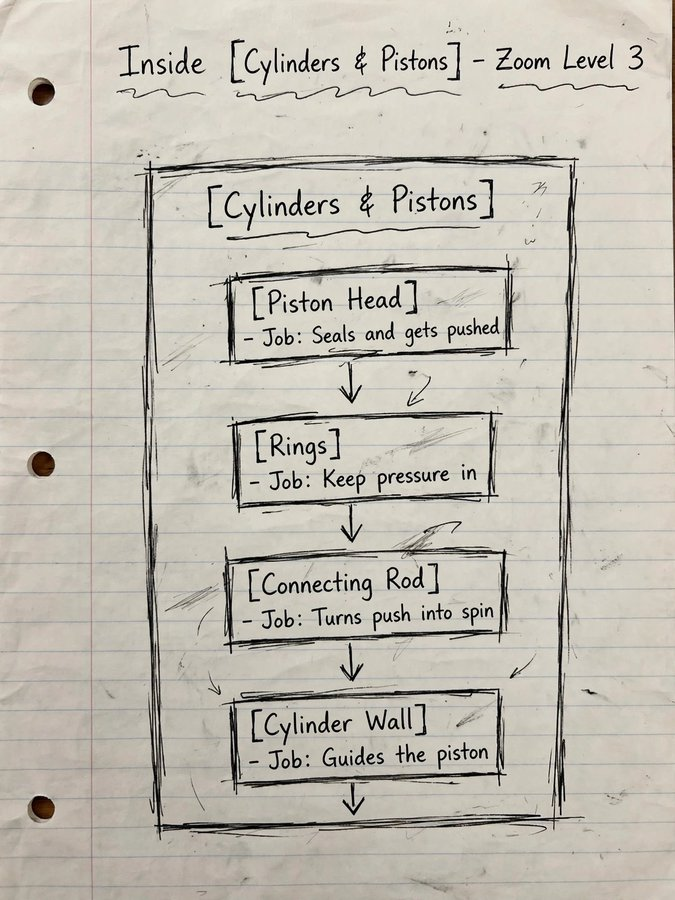 Figure 3: ONE of the boxes from Level 2
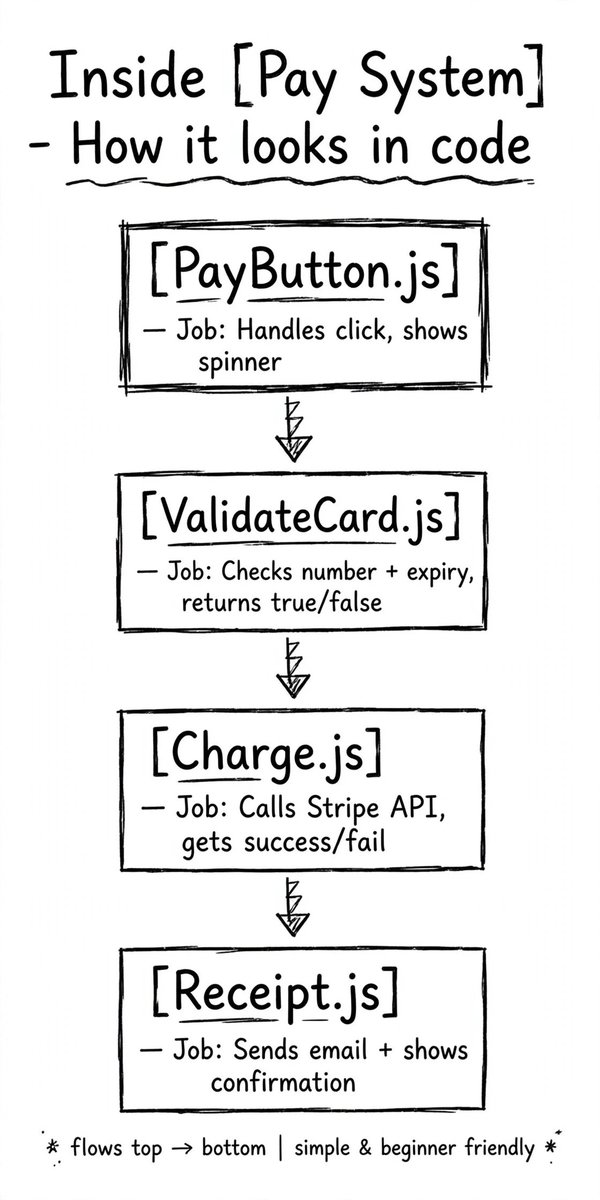
So here is one level deeper. Each box you make get's it's own drawing later on. Notice how we now have more boxes that explain what they do in a small statement. This is how you make your way through your project. This is how you keep yourself from getting lost. You draw the logic so YOUR brain can stay in scope.. So when we take this over to our coding project it might look something like this for the pay system.
#4 Checks & Balances: Smoke Tests/Bugs/Polish
This is the last stage of my workflow. Every time I add a new feature, I try to test it relentlessly. This is a very critical part of the process. Every system has a flaw, and many home lab guys or freelance startups will end up getting wrapped around this part of the process. You need a plan to handle these things and a way to troubleshoot them. So in your topology, you need to build in a way to tell where something broke.
Logging is your friend here. Give your project more than you think you will need.
Add comments so you know what the code does 5 years from now when you've forgotten how the whole thing works. Add clear tags to your debug statements so you know which block actually fired. Name variables clearly so you know what they belong to. Make your files, functions, and variables match the names in your topology exactly.
That is what saves you when you are a year in and something breaks from week one.
Garbage-In/Garbage-Out: AI Can't Do This For You
I will close with some final words of advice. While AI can help you with many things. This workflow isn't one of them. You can use AI to explain things you don't understand, but If you let it drive your workflow/Topology, you won't know what is happening in your files.
This workflow needs to be owned by YOU as the author of your creation. The reason for this is AI thinks at a different scale. AI can't imagine for you, YOU need to be able to tell the AI what you want it to make. This method will help you get to an actual complete and working project if you use it. It is designed to flex with your pace and simple enough that you can pick up from any spot and begin untangling if needed.
Comments 1 in this thread
Really good story!